From messy request to PDF brief
Perfect Brief Studio
Paste an email thread, a Slack dump or rough notes. Get a clear production brief with deliverables, real platform specs and a checklist of everything still missing. Export it as a clean PDF in Letter or A4. It runs on your Mac, with no account.
Request in. Brief out.
Paste the request
Emails, chat dumps or rough notes. Media type and placements are detected for you.
Generate on your Mac
A built-in model runs inside the app. Nothing you paste leaves your Mac after a one-time model download.
Review and export
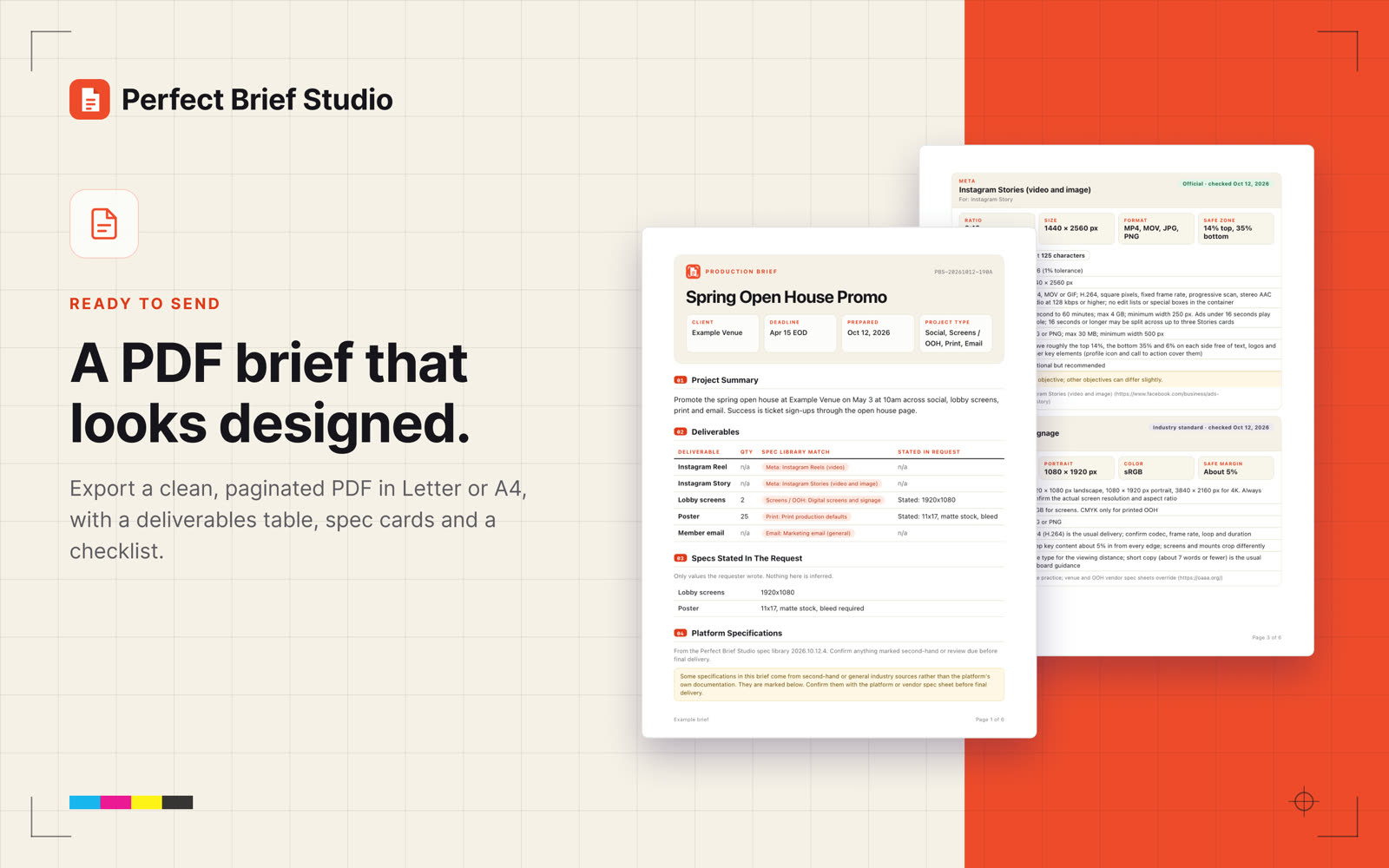
Check the flagged items, then export a clean PDF in Letter or A4, or copy it as Markdown.
A brief you can send as it is.
Made for real production work.
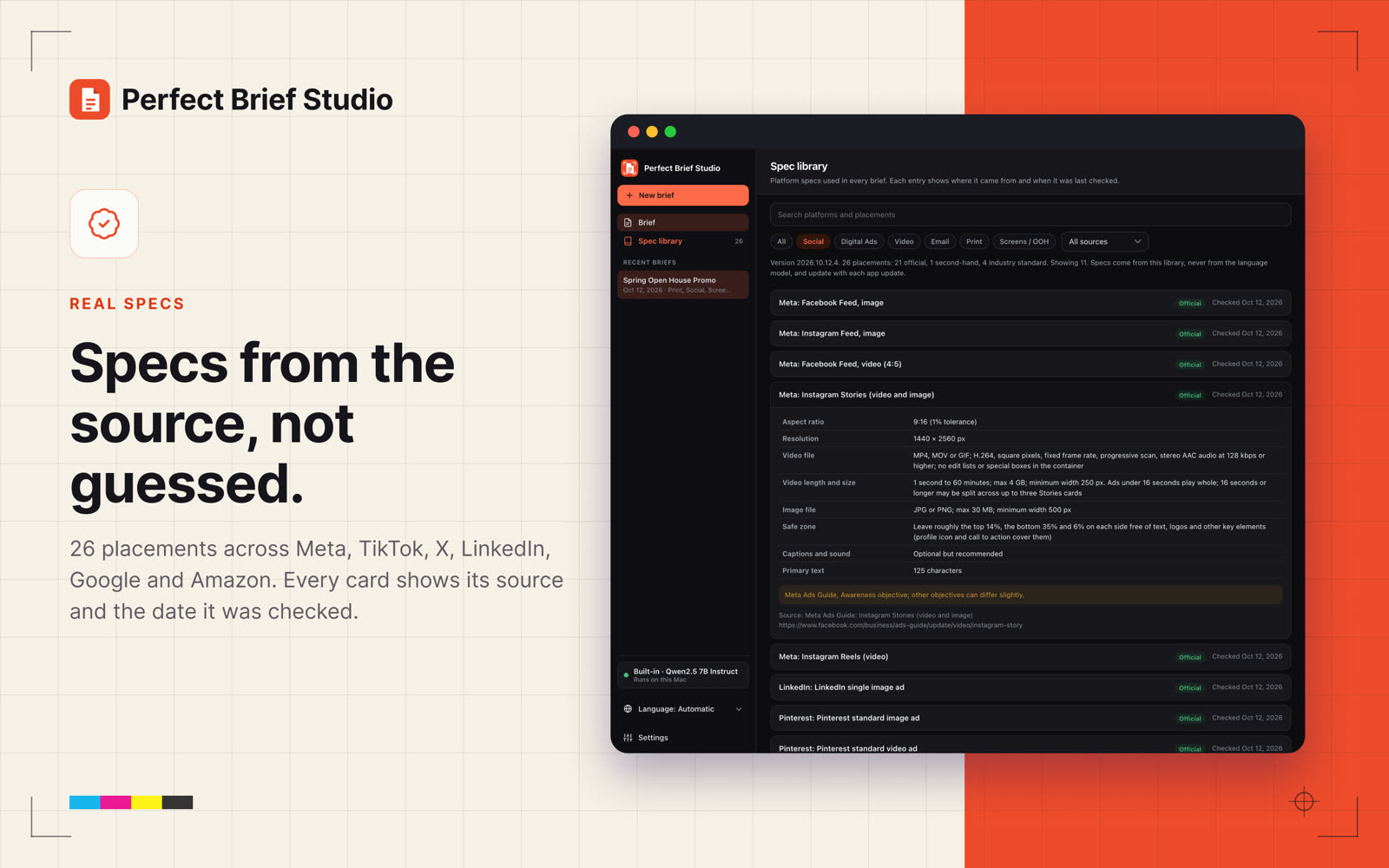
Specs from the source
The library covers 26 placements across Meta, TikTok, X, LinkedIn, Pinterest, Snapchat, Google, YouTube, Amazon, Walmart, connected TV, email, print and digital screens. The language model never writes spec numbers.
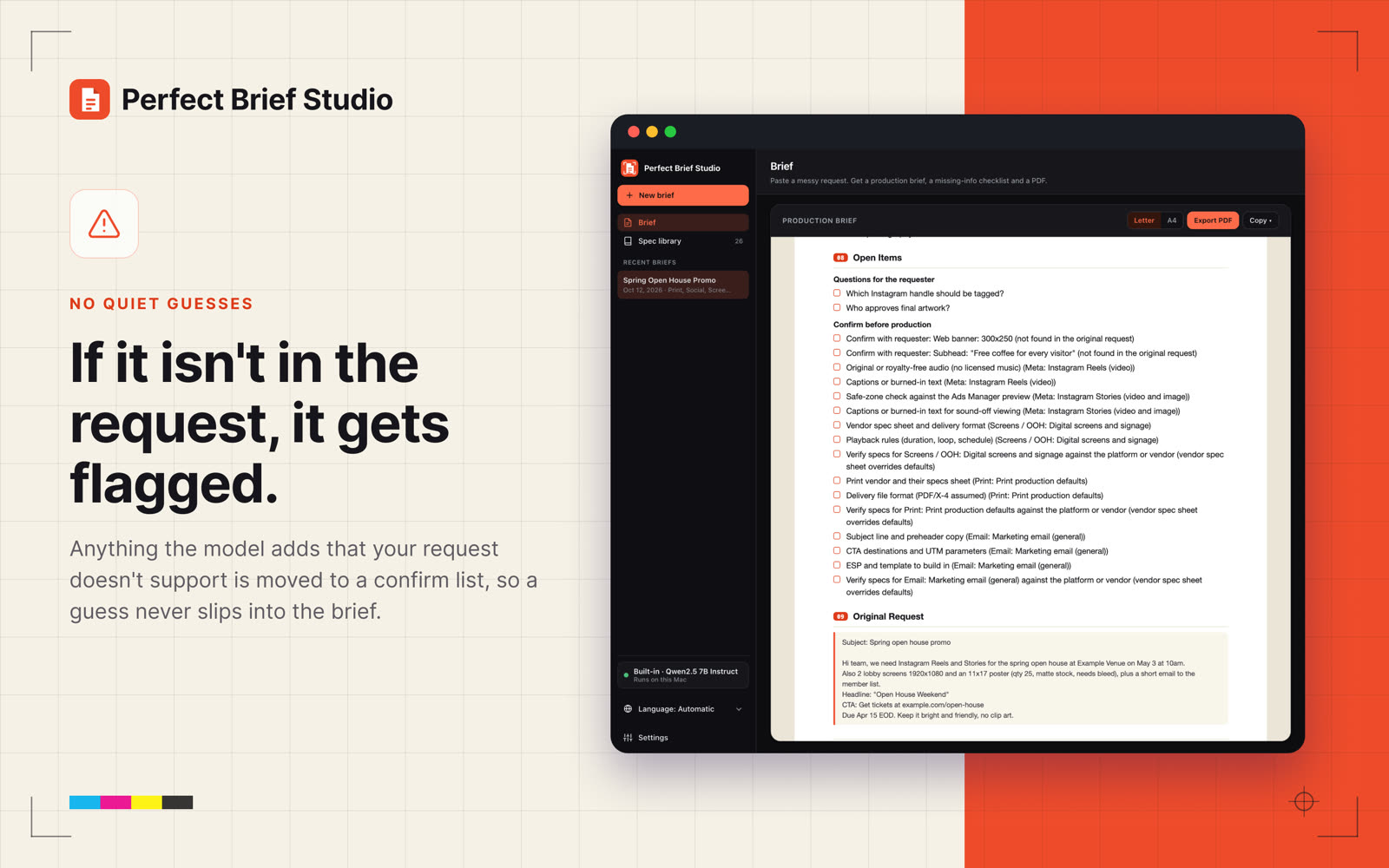
Flagged, not guessed
If the model states something your request does not support, it moves to a confirm list at the top of your checklist instead of slipping into the brief.
Clean PDF export
Letter or A4 with a deliverables table, spec cards and open items. Copy as Markdown or plain text too.
Private by default
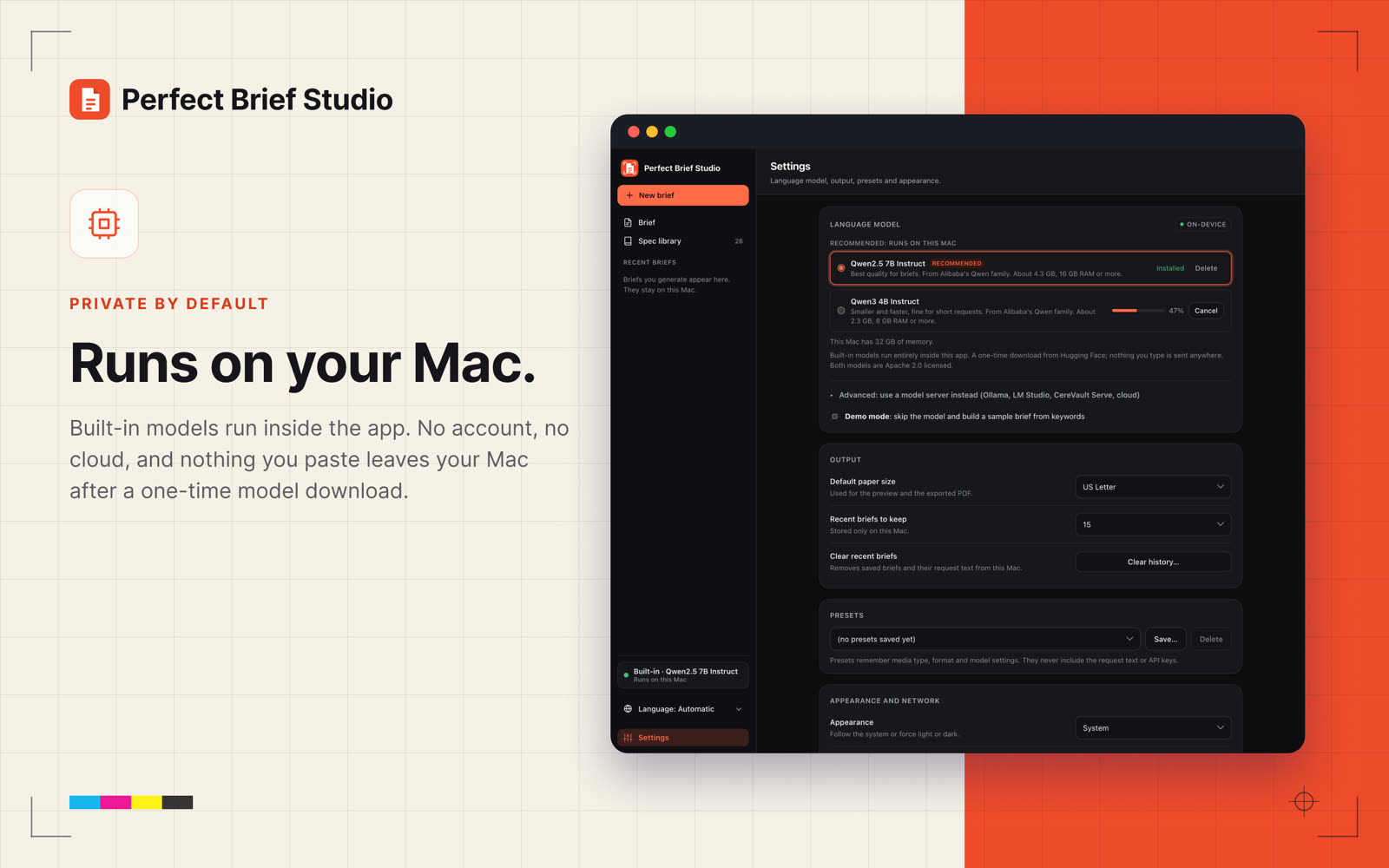
Built-in models run inside the app on your Mac. No account, and nothing you paste leaves your Mac after a one-time model download. API keys stay in the macOS Keychain.
Built-in or bring your own
Use the built-in Qwen2.5 7B Instruct, or the smaller Qwen3 4B for Macs with less memory. Already run a local model? It finds CereVault Serve, Ollama and LM Studio on your network.
English and French
The app, the spec library and the PDFs work in English and French, with Quebec French for Canada and France French for France.
Extract intent. Clarify requirements. Design from clarity.
Designers, producers and account teams who get briefs as scattered emails and chat threads. Perfect Brief Studio pulls out the intent, adds the real platform specs, and shows you what is still missing before anyone starts designing.
Good to know
- Requires macOS 14 or later
- Built-in model needs a one-time download of about 2.3 GB or 4.3 GB. 16 GB of memory is recommended for the larger model.
- Built-in models are Apache 2.0 licensed
- Local servers: CereVault Serve, Ollama, LM Studio. Cloud providers are optional and use your own key.
- Light, dark or system appearance
Perfect Brief Studio support
Quick answers below. If you are still stuck, email support@cerevault.com and say which Mac and macOS version you use.
The built-in model will not download or load
Open Settings, then Language model. The recommended model is Qwen2.5 7B Instruct (about 4.3 GB, 16 GB of memory recommended). On a Mac with less memory choose Qwen3 4B Instruct (about 2.3 GB). The download needs an internet connection once. If it stalls, use Delete and download again.
My Ollama, LM Studio or CereVault Serve server is not found
Allow Local Network access when macOS asks. If you declined, turn it on in System Settings, then Privacy and Security, then Local Network. In Settings, choose the server option under "Or use a server you already run" and scan again, or type the address by hand.
Why did an item land on the confirm list?
If the model states something your request does not support, it is moved to the confirm list at the top of the checklist so it never slips into the brief unchecked. Confirm it with your client or remove it.
Where do the spec numbers come from?
From the built-in spec library, summarized from each platform's public documentation. Every spec card shows its source and the date it was last checked. Anything we could not confirm from the platform itself is marked. The language model never writes spec numbers.
How do I get Letter or A4, or switch to French?
Use the Letter / A4 toggle above the brief, then Export as PDF. The app language and the brief language are set in Settings, or from the language menu in the sidebar.
Is my request private?
With a built-in model, everything runs on your Mac and nothing you paste is sent anywhere after the one-time model download. If you choose a cloud provider yourself, your request goes to that provider using your own key, which is kept in the macOS Keychain. See the privacy policy.
Get Perfect Brief Studio
Free until Nov 1. Stop rebuilding the same brief from scratch.
Instagram, Meta, TikTok, X, LinkedIn, Pinterest, Snapchat, Google, YouTube, Amazon, Walmart and other names are trademarks of their respective owners. Perfect Brief Studio is not affiliated with or endorsed by them. Specs are summarized from each platform's public documentation.